
 BDT
BDT
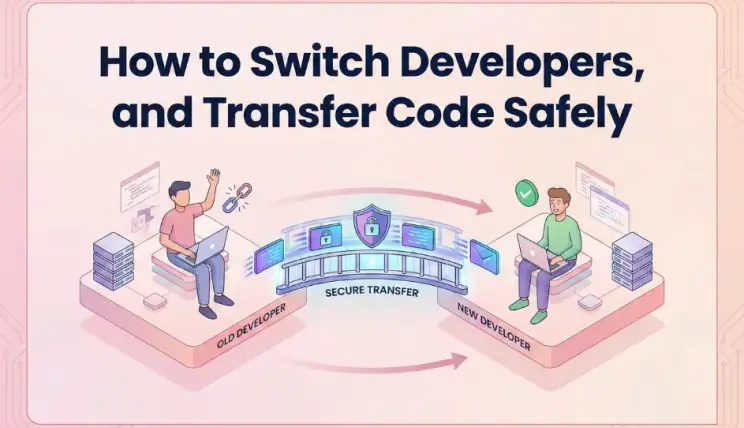
Moving On: A Safe Guide to Changing Development Teams
Deciding to switch software developers is never easy. You might face missed deadlines, poor communication, or simply outgrow your current team. Once you make the decision, your priority shifts from development to security. You must ensure that you have full control over your digital assets before you end the relationship.
Many business owners worry that the old developer might hold the code hostage or that files will get lost during the move. This guide provides a clear, step-by-step process to transfer your code safely and keep your project running smoothly.
1. Review Your Contract and Ownership
Before you announce your departure, check your legal agreement. Look for clauses about intellectual property and code ownership. In most professional contracts, the client owns the code once the invoices are paid. If you have unpaid bills, settle them. This removes any valid reason for the developer to withhold your files. Being paid up and legally clear is the best foundation for a smooth transition.
2. Secure Access to All Accounts
Your software lives in many places, not just on a laptop. You need administrative access to every service your application uses. This includes your domain registrar, hosting provider (like AWS or DigitalOcean), and third-party tools like email services or payment gateways. Ensure you have the "master" login for these accounts. If the developer registered them under their personal email, ask them to change the email to yours immediately.
3. Get the Source Code Repository
The most important asset is your source code. This is usually stored on platforms like GitHub, GitLab, or Bitbucket. Do not settle for a zip file sent via email. A zip file does not show the history of changes or the different versions of the code. Instead, ask for full administrative rights to the repository. Once you have admin access, you can remove the old developers when the time is right.
Essential Handoff Checklist
To ensure nothing is left behind, use this checklist to track the critical items you need to receive.
| Asset Name | Why You Need It | Risk If Missing |
|---|---|---|
| Source Code Repository | Contains the actual application code. | You cannot update or fix the software. |
| Database Dumps | A copy of all user data and records. | Total loss of customer information. |
| Environment Variables (.env) | Hidden keys for security and API connections. | The app will crash or fail to connect. |
| Design Assets | Original logos, fonts, and UI files. | New developers cannot match the visual style. |
4. Request Updated Documentation
Code is hard to read without a map. Ask your current developer for a "README" file or technical documentation. This document explains how to set up the project on a new computer. It should list all the software versions required and any special commands needed to run the app. Good documentation saves your new team dozens of hours of guessing and testing.
5. Verify Before You Say Goodbye
Do not cut ties until you test the transfer. Hire a neutral third party or your new developer to perform a "build test." They should try to run the application using only the files and keys provided by the old team. If they encounter errors, you can ask the old team to fix them while you still have a working relationship. Once the new team confirms everything works, you can safely change the passwords and revoke access for the old developers.

Final Thoughts
Switching teams is a normal part of business growth. By staying calm and following a structured process, you can protect your investment. Treat the handover as a professional project, and you will set your new team up for immediate success.
Frequently Asked Questions
Q: Can a developer legally keep my code?
A: Generally, if you have paid for the work and the contract states you own the IP, they cannot legally keep it. However, check your specific contract terms.
Q: What if the developer refuses to give me access?
A: If communication fails, you may need legal assistance. This is why having admin access to hosting and repositories from the start is vital.
Q: Is a zip file of the code enough?
A: No, a zip file lacks version history. You need the full Git repository history to understand how the code evolved and to roll back changes if needed.
Q: How long does a code transfer take?
A: The technical transfer can happen in a few hours, but verifying that everything works correctly usually takes a few days.
Q: Do I need to change my passwords after switching?
A: Yes, immediately change all passwords for servers, databases, and third-party services once the new team has verified the code.
Q: Should I tell my current developer I am leaving?
A: It is often best to secure your assets and access first. Once you have control, you can have a professional conversation about ending the contract.


 Cart
Cart  Shop
Shop Home
Home User
User Menu
Menu Call
Call Facebook
 Live Chat
 Whatsapp
 Ticket
0 Comments